
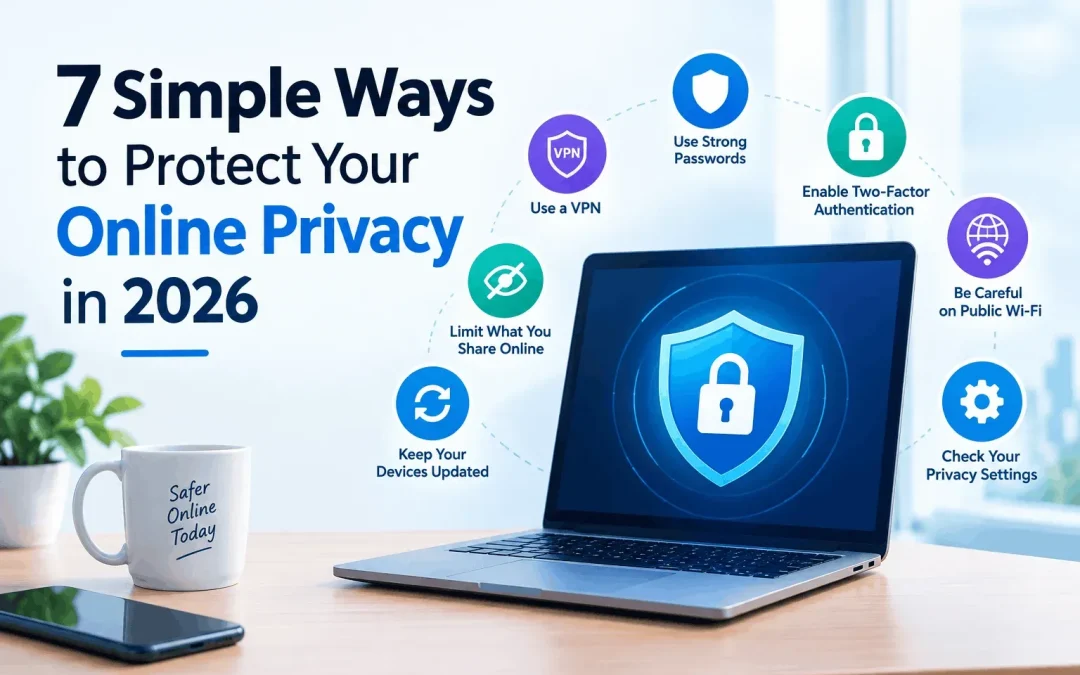
Every app you open, site you visit, and form you fill out leaves a trail. Advertisers, data brokers, and sometimes criminals collect that trail. The good news is that you don’t need to be a tech expert to protect yourself. These seven habits take little time and make a real difference to your online privacy.
Why Online Privacy Matters More Than Ever
Data breaches are now routine. Even big companies get hit: in 2023, Meta was fined €1.2 billion under Europe’s GDPR for how it transferred user data. For ordinary people, the risks are identity theft, bank fraud, and endless targeted ads.
If you live in India, the Digital Personal Data Protection (DPDP) Act, 2023 gives you more rights over your data. But laws work slowly, so your own habits are your first line of defence.
7 Ways to Protect Your Online Privacy
1. Use a VPN to Hide Your Browsing
A VPN (Virtual Private Network) encrypts your internet traffic and hides your IP address from websites and your internet provider. Services like SmartersVPN, NordVPN, and ProtonVPN all work on this principle.
Pros:
- Protects your data on public Wi-Fi
- Stops your ISP from seeing which sites you visit
- Helps you avoid some location-based tracking
Cons:
- Can slightly reduce speed
- Free VPNs often sell your data, so avoid them
- Doesn’t protect you if you log in to accounts that track you
When choosing one, look for a clear no-logs policy, independent audits, and strong encryption. Be aware that in 2022, India’s CERT-In ordered VPN providers to store user records. Several big names responded by removing their Indian servers, so check where a provider’s servers are and what data it keeps.
2. Use Strong, Unique Passwords
Reusing one password everywhere is the easiest mistake to fix. If one site leaks it, attackers try it on your email, banking, and shopping accounts.
- Make passwords at least 12–14 characters long
- Use a passphrase, like a random string of four unrelated words
- Store them in a password manager such as Bitwarden or 1Password
3. Turn On Two-Factor Authentication (2FA)
2FA adds a second step when you log in. Even if someone steals your password, they can’t get in without the second proof.
- Best: an authenticator app or a hardware security key
- Okay: SMS codes (they can be intercepted through SIM-swap fraud)
Start with email, banking, and social media accounts.
4. Review App Permissions and Social Media Settings
Many apps ask for access they don’t need. A torch app does not need your contacts.
- Check permissions in your phone’s privacy settings
- Disable location access unless the app truly needs it
- Set social profiles to private and limit who sees your posts
- Delete old accounts you no longer use
5. Switch to Privacy-Friendly Browsing Tools
Your browser is a major source of tracking data. Small changes help a lot:
- Use browsers like Firefox, Brave, or Safari with tracking protection
- Try search engines such as DuckDuckGo or Startpage
- Install a reputable ad and tracker blocker
- Clear cookies regularly
The trade-off is that some sites may break or load differently, but you can whitelist the ones you trust.
6. Be Careful on Public Wi-Fi and Keep Software Updated
Free Wi-Fi at cafés, airports, and railway stations is convenient but often unsecured. Attackers can snoop on traffic or set up fake hotspots with familiar names.
- Avoid banking or shopping on public networks
- Use a VPN if you must connect
- Turn on automatic updates, since most updates fix security holes that hackers actively exploit
7. Learn to Spot Phishing and Scams
Phishing is still one of the most common ways people lose data. Fake delivery messages, “bank KYC update” texts, and urgent emails are typical examples.
Red flags:
- Urgent language like “act now or your account will be blocked”
- Links that don’t match the official website
- Requests for OTPs, PINs, or passwords (genuine companies never ask for these)
When in doubt, don’t click. Open the official app or website yourself.
Quick Comparison: Which Step Gives the Most Protection?
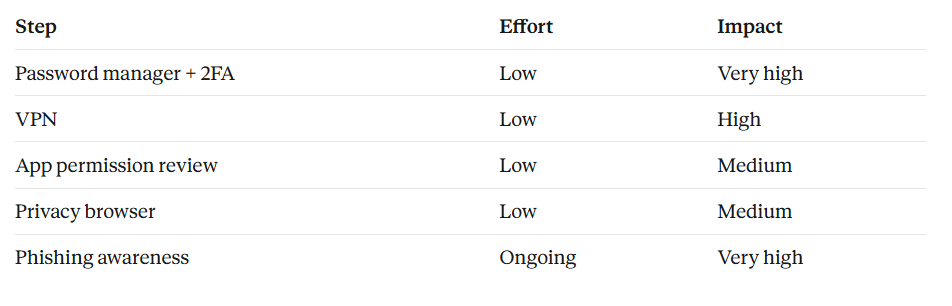
No single tool covers everything. Layering these habits works best.
Frequently Asked Questions
Is a VPN enough to stay private online?
No. A VPN hides your traffic and IP address, but it can’t stop phishing, weak passwords, or tracking through accounts you’re logged in to.
Are free VPNs safe?
Usually not. Running servers costs money, and free services often pay for it by collecting and selling user data.
Final Thoughts
You don’t need to do everything today. Start with a password manager and 2FA, then add a trustworthy VPN and a privacy-friendly browser. Small steps add up, and good habits protect you far longer than any single app.
Want to explore VPN options? Visit SmartersVPN to see how it compares with other providers.